
Last updated: October 27, 2026. This guide explains the government’s LPG e-KYC rule for subsidised domestic cylinders. App names and steps can change, so confirm them with your gas company or distributor. It is not legal or financial advice.
Introduction: LPG e-KYC 2026 and Who Needs It
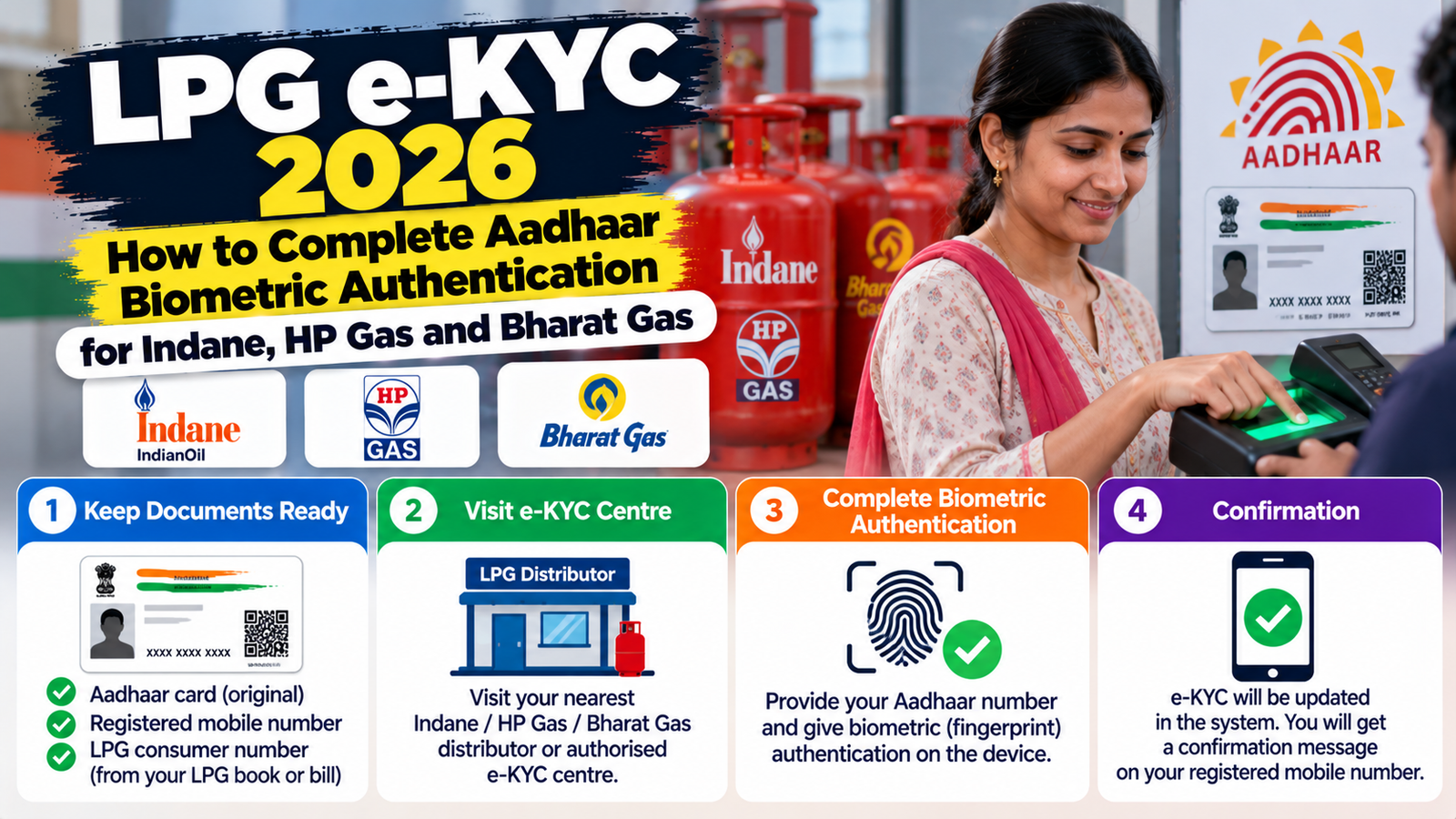
LPG e-KYC means biometric Aadhaar authentication of the person who holds the gas connection. From 1 October 2026, domestic LPG customers must complete it to keep booking subsidised refills at the regulated price, according to the Ministry of Petroleum and Natural Gas. The government says the aim is to make sure subsidised cooking gas reaches genuine households, to remove duplicate and ineligible connections and to stop diversion to commercial use.
This guide explains LPG e-KYC for Indane, HP Gas and Bharat Gas customers: the three ways to complete it, which app to use, what happens if you do not want to do it and what to do if the face scan fails.
Table of Contents
Quick Answer
- LPG e-KYC is biometric Aadhaar authentication, and it is mandatory from 1 October 2026 for subsidised domestic refills at the regulated price.
- There are three ways to do it: with the delivery person during delivery, at your distributor’s showroom or yourself in your gas company’s app.
- The apps are IndianOil ONE for Indane, HelloBPCL for Bharatgas and HP PAY for HP Gas.
- If you already completed biometric authentication earlier, the government’s 19 September release says you need not do anything again.
- If you do not want to authenticate, you can register that choice through your company’s digital channels and you will be supplied LPG at the applicable market price without the subsidy.
- Use only your gas company’s official app or your distributor. Never share an OTP or Aadhaar details with a caller who says your LPG will stop.
LPG e-KYC: Three Ways to Complete It
| Method | How it works | Good for |
|---|---|---|
| Delivery person | The delivery person completes the authentication using the oil company’s mobile app when your refill arrives | People who prefer not to use a phone app |
| Distributor showroom | Visit your registered LPG distributor and complete it there | Older customers and anyone who has trouble with the app |
| Your own phone | Use your gas company’s app and a face scan | People comfortable with apps |
LPG e-KYC App for Indane, HP Gas and Bharat Gas
| Gas brand | Company | App | How to start |
|---|---|---|---|
| Indane | IndianOil | IndianOil ONE | Register with the mobile number linked to your connection and open the LPG or e-KYC section |
| Bharatgas | BPCL | HelloBPCL | Log in with your registered mobile number and choose the Aadhaar authentication option |
| HP Gas | HPCL | HP PAY | Log in with your registered mobile number and choose the LPG authentication option |
Some guides say you also need the UIDAI Aadhaar FaceRD app on your phone for the face scan, and that the gas company’s app will prompt you for it. Follow the steps your own app shows.
Step-by-Step: Do LPG e-KYC on Your Phone
- Check first whether your authentication is already complete in your distributor’s record or in your gas company’s app.
- Install your gas company’s official app from the Play Store or the App Store, and install the Aadhaar FaceRD app if the app asks for it.
- Log in with the mobile number registered with your gas connection.
- Open the LPG or e-KYC section and start the Aadhaar authentication.
- Complete the face scan in a well-lit place, looking at the camera and following the on-screen prompts.
- Save the confirmation message, then check that your connection shows as authenticated.
What Happens If You Do Not Do It
Customers who do not complete biometric authentication will not be eligible for the subsidy at the regulated price. Under the Oil Ministry guidelines, customers who are unwilling or unable to authenticate can register their choice through their company’s app, website, WhatsApp service or IVRS and will then be supplied LPG at the applicable market price, without the subsidy. The authentication deadline was extended several times earlier, so check your company’s latest notice.
What If the Face Scan Fails?
| Problem | What to try |
|---|---|
| The app cannot read your face | Move to better light, remove glasses or a mask, hold the phone steady and try again |
| The app will not open or crashes | Update the app, restart your phone or try again later |
| Your mobile number is not linked to the connection | Visit your distributor and ask them to complete it in person |
| Authentication keeps failing | Ask the delivery person to authenticate you at the next delivery, or visit the distributor |
LPG e-KYC Scam Warning
Because LPG e-KYC is done through your own gas company’s app, your distributor or the delivery person, treat any other request as suspicious.
- Do not click links sent by unknown numbers that claim your connection will be blocked.
- Do not share OTPs, bank details or Aadhaar numbers with callers.
- Use only the official apps named above or visit your registered distributor.
- Report suspicious calls to the cyber helpline 1930 or at cybercrime.gov.in.
Final Thoughts on LPG e-KYC
LPG e-KYC takes only a few minutes, and it is free through the official app, your distributor or the delivery person, according to guides we reviewed. If you want to keep the subsidy, complete it through one of the three official routes and keep the confirmation. If you do not want to, register your choice and buy at the market price. We will update this guide if the government changes the rule or the deadline.
Frequently Asked Questions
Is LPG e-KYC mandatory?
It is mandatory from 1 October 2026 for subsidised domestic refills at the regulated price. You can instead register a choice not to authenticate and buy at the market price.
How do I do LPG e-KYC online?
Use your gas company’s app: IndianOil ONE for Indane, HelloBPCL for Bharatgas or HP PAY for HP Gas. Log in with your registered mobile number and complete the Aadhaar face authentication.
Do I need to do LPG e-KYC again if I already did it?
The government’s 19 September release says customers who already completed biometric authentication need not do anything again.
What if I cannot use the app?
Ask the delivery person to authenticate you at the next delivery, or visit your distributor’s showroom.
Is LPG e-KYC free?
Guides we reviewed say it is free through the app, the distributor or the delivery person. Do not pay anyone who asks for a fee.
Update Log
| Date | Update |
|---|---|
| October 27, 2026 | First version based on the Ministry of Petroleum and Natural Gas announcement and news reports |
Sources and Official Links
- Ministry of Petroleum and Natural Gas
- Business Today: LPG rules around November 1
- Pune Pulse: LPG e-KYC steps on your phone
- India.com: LPG subsidy and Aadhaar biometric authentication
- National Cyber Crime Reporting Portal
Related Guides
Handling Aadhaar and payments? See our guides to how to check Aadhaar PAN link status and the new UPI rules.