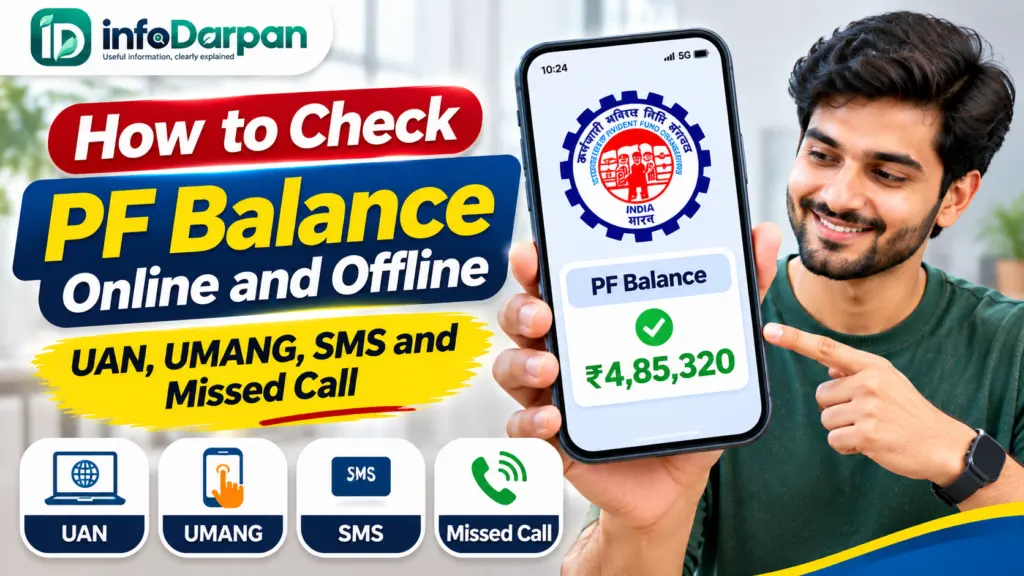
Want to check PF balance without visiting an EPFO office? You can do it online or offline in a few minutes. If you work in the private sector, part of your salary goes into your Employees’ Provident Fund (EPF) account every month, and checking that balance now and then is a good habit because it shows whether your employer is depositing contributions on time.
Quick summary: four ways to check your PF balance
| Method | Internet needed | UAN login needed | Best for |
|---|---|---|---|
| Missed call to 9966044425 | No | No | Fastest check |
| SMS to 7738299899 | No | No | Balance in your own language |
| UMANG app | Yes | Yes | Full passbook on your phone |
| EPFO member passbook portal | Yes | Yes | Detailed entries and PDF download |
What you need before you check PF balance
- An active UAN (Universal Account Number) given by your employer.
- Your mobile number registered with the UAN. The SMS and missed call services work only from this number.
- KYC details (such as Aadhaar and bank account) linked to your UAN. Without KYC, the SMS and missed call services may not reply.
Method 1: Check PF balance by missed call
This is the quickest method, and it works even without internet.
- From your registered mobile number, give a missed call to 9966044425.
- The call disconnects automatically after a couple of rings. There is no call charge.
- Wait for an SMS from EPFO. It shows your latest PF balance and your most recent contribution details.
Method 2: Check PF balance by SMS
- From your registered mobile number, send the message EPFOHO UAN ENG to 7738299899.
- Replace ENG with another language code to get the reply in a different language. EPFO supports ten Indian languages for this service.
- You will receive an SMS with your PF details.
Method 3: Check PF balance on the UMANG app
- Install and open the UMANG app.
- Choose EPFO from the services list.
- Select View Passbook.
- Verify your UAN with the OTP sent to your registered mobile number, then select your member ID to see the passbook.
Method 4: Check PF balance on the EPFO member passbook portal
- Open the official EPFO Member Passbook portal.
- Enter your UAN, password and the captcha, then log in.
- If several member IDs are linked to your UAN, select the one you want.
- View your balance and entries. You can also download the passbook as a PDF.
Note: The passbook portal is a separate website from the main EPFO member portal. If you change your password on the member portal, the new password works on the passbook portal after about six hours.
Is your UAN not active yet?
Your employer must first generate your UAN. After that, you need to activate it. Since 1 August 2025, EPFO has stopped the old OTP-based activation on its website. UAN activation is now done through Aadhaar Face Authentication in the UMANG app. Keep your name and date of birth the same in your Aadhaar and EPFO records, because a mismatch can make activation fail. Once your UAN is active, you can log in, view the passbook, update KYC and use other EPFO services.
Common problems when you check PF balance
- No reply to the missed call or SMS: Check that you are using the mobile number registered with your UAN and that your KYC is complete. If you changed your number, update it in your EPFO profile.
- Passbook not showing: The passbook becomes available about six hours after you register or activate your UAN. Try again later.
- Forgot password: Use the Forgot Password option on the UAN member portal, enter your UAN and captcha, and follow the steps.
- Contribution missing: Compare the SMS or passbook entries with your salary slip. If a month is missing, ask your employer’s HR or accounts team first.
Stay safe: avoid PF fraud
Use only official EPFO channels, the UMANG app or the EPFO portals to check your balance. Never share your OTP, UAN password or Aadhaar details with anyone who calls or messages you claiming to be from EPFO. EPFO does not ask for your password over the phone.
Related reading
Want to know how the wage ceiling affects your PF and take-home pay? Read our guide: EPFO Wage Ceiling Raised to ₹25,000: What Changes for Your PF, Pension and Take-Home Salary.
FAQs
Can I check my PF balance without a UAN?
You do not need to type your UAN for the missed call or SMS services, but these still need an active UAN linked to your registered mobile number. For the UMANG app and the portals, you need your UAN.
Is it free to check PF balance?
The missed call service has no call charge, and the portals and the UMANG app are free to use. Your mobile operator’s standard SMS rates may apply to the SMS method.
How often should I check my PF balance?
Checking once a month, after your salary is credited, is a good habit. It helps you catch missed or delayed employer contributions early.
Disclaimer: This guide is for general information. Contact numbers and processes can change, so confirm them on the official EPFO website or the UMANG app before you rely on them.