Last updated: October 2026. Gaming hardware and subscription prices changed several times in 2026, largely because memory and storage costs rose. The US prices below are as reported between May and September 2026. They may be out of date by the time you read this, so always check the current price at the manufacturer or a retailer before buying.
Introduction: Three Ways to Play on a Budget
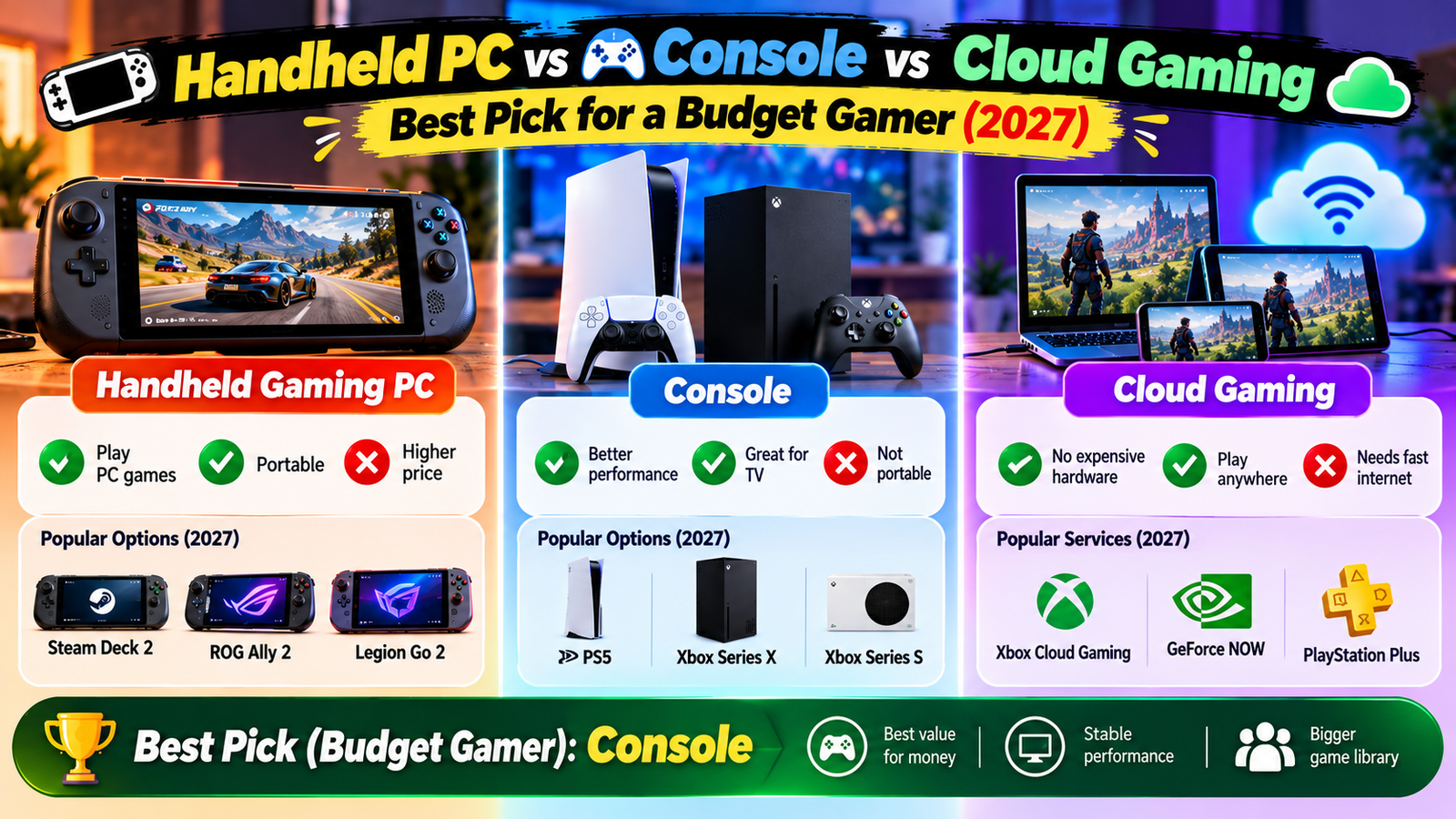
If you want to play modern games without spending a fortune, you now have three main routes: a handheld gaming PC such as the Steam Deck or ROG Xbox Ally, a console such as the Nintendo Switch 2, Xbox Series S or PlayStation 5, or cloud gaming, where a remote server runs the game and streams it to a screen you already own.
Each route has a different upfront cost, a different ongoing cost and a different kind of person it suits best. This guide compares them with a price snapshot, a three-year cost example, a cloud gaming requirements checklist and a which-one-should-I-buy table.
Quick Answer
- Want the easiest, family-friendly option with Nintendo games? Nintendo Switch 2.
- Already have a Steam library or love PC and indie games? A handheld gaming PC, such as the Steam Deck OLED, if the price fits.
- Want the cheapest way into current games and already own a TV? An Xbox Series S or a PS5 Digital, depending on current prices and the games you want.
- Have a good internet connection and a phone, laptop or TV you already own? Try cloud gaming with a free or low-cost tier first.
- Want the lowest risk? Try cloud gaming for a month or two before buying hardware.
The Three Options Compared
| Handheld gaming PC | Console | Cloud gaming | |
|---|---|---|---|
| What it is | A portable PC that plays PC games on its own screen or on a TV | A dedicated gaming box (or hybrid, like the Switch 2) with its own game ecosystem | A subscription that streams games from remote servers to your device |
| Upfront cost | High to very high | Medium to high | Low if you already own a device |
| Ongoing cost | Games, plus optional subscriptions | Games, plus online subscription for some multiplayer | Monthly subscription, plus games on some services |
| Game library | Large PC library, including Steam; many indie and older titles | Console exclusives and big releases | Depends on the service; some stream games you own, others include a rotating library |
| Internet needed | Only to download and for online games | Only to download and for online games | Yes, a fast and stable connection all the time |
| Portability | Excellent | Switch 2 is portable; others need a TV | Portable on any device with a good connection |
| Best for | PC gamers who want portability and flexibility | People who want simple, reliable play | Casual players, trying games first, or older devices |
| Watch-outs | Short battery life in demanding games; some games run poorly | Prices rising; limited upgrade path | Lag, subscription limits and library changes |
Price Snapshot (US, Reported 2026)
Prices below were reported by tech news and review sites during 2026. Use them as a guide, not a quote.
| Device or service | Reported US price | Notes |
|---|---|---|
| Nintendo Switch 2 | About $499.99 | Reports said the price rose from $449.99 on September 1, 2026 |
| Steam Deck OLED (512 GB) | About $789 | Reported price rise in May 2026 from $549; 1 TB about $949 |
| ASUS ROG Xbox Ally | About $599.99 | Windows handheld; sometimes discounted |
| ASUS ROG Xbox Ally X | About $999.99 | More powerful and more expensive |
| Xbox Series S (512 GB) | About $499.99 | Reported price after the August 1, 2026 increase; 1 TB model about $599.99 |
| PS5 Digital Edition | Reports vary, roughly $500 to $600 | Sony changed prices more than once in 2026, so check the current price |
| GeForce Now Ultimate (cloud) | About $19.99 per month | Reports mention a 100-hour monthly play cap on paid tiers |
| Xbox Game Pass Ultimate (includes cloud) | Roughly $20 to $23 per month in 2026 reports | Microsoft changed Game Pass pricing more than once, so check the current price |
Why prices are changing: manufacturers have pointed to rising memory and storage costs. That means older devices can cost more now than at launch, and sales may be less common than before.
Three-Year Cost Example
This is a hypothetical example to show how costs add up. It uses the reported prices above, rounds numbers and assumes you buy a handful of games. Your habits will change the result.
| Option | Assumptions | Rough 3-year total |
|---|---|---|
| Handheld gaming PC (Steam Deck OLED 512 GB) | $789 device plus 15 games at about $20 on sale ($300) | About $1,090 |
| Nintendo Switch 2 | $500 device plus 8 games at about $50 ($400) | About $900 |
| Xbox Series S 512 GB | $500 device plus 8 games at about $35 ($280) | About $780, plus online subscription if you play online |
| Cloud: GeForce Now Ultimate | $19.99 a month for 36 months ($720) plus 15 games you buy at about $20 ($300) | About $1,020, plus a device that can stream |
| Cloud: Game Pass Ultimate | $20 to $23 a month for 36 months | About $720 to $830, no game purchases, plus a device that can stream |
Takeaway: cloud gaming is cheapest at the start and can be the most expensive over time. Buying hardware costs more upfront but may cost less if you keep it for years and buy games on sale.
Cloud Gaming: What You Need
| Requirement | What to aim for | Why it matters |
|---|---|---|
| Download speed | At least 25 Mbps for 1080p; around 40 to 45 Mbps or more for 4K on some services | Lower speeds cause blurry video and stutters |
| Latency (ping) | Under about 40 to 60 ms to the server | High latency makes controls feel delayed |
| Connection type | Ethernet, or 5 GHz Wi-Fi close to the router | Wi-Fi interference causes spikes |
| Data usage | Can use many gigabytes per hour; check your data cap | Streaming eats data fast on limited plans |
| Device | A recent phone, laptop, TV or handheld, plus a controller | Controller support makes play far better |
| Region | Check the service is available where you live | Some services are limited by country |
If cloud gaming feels bad even on a fast plan, speed is rarely the problem. Latency, jitter and Wi-Fi quality matter more. Run a few tests at the time you plan to play.
Which One Should You Buy?
| If you… | Consider | Why |
|---|---|---|
| Play with kids or want simple family games | Nintendo Switch 2 | Plug-and-play and strong first-party games |
| Already own many Steam games | Steam Deck or another handheld PC | Your library goes with you |
| Prefer to play on a TV and want the lowest console price | Xbox Series S or PS5 Digital, depending on current prices | Large libraries and easy setup |
| Like Xbox games and Game Pass but have no console | Cloud gaming through Game Pass, or a Windows handheld | Access to a large library |
| Have a strong PC but want to play away from your desk | Remote play or a cheaper handheld | No need to pay for a second full system |
| Are unsure | Try cloud gaming on a free or monthly plan first | Lowest commitment |
| Play competitive online shooters | A local device (console, PC or handheld) | Lowest latency and fewest surprises |
Checklist Before You Spend Money
- List the five games you most want to play. Check which devices and services have them.
- Check current prices at two or three stores, including refurbished options.
- Count the extras: controller, memory card, case, online subscription, TV or monitor.
- Test your internet if you plan to use cloud gaming.
- Check return policies so you can send it back if it does not suit you.
- Think about who will use it and where: bedroom TV, living room or travel.
Ways to Save Money
- Buy older games on sale. Many are cheap within a year or two of release.
- Use subscriptions only when you have time to play, and cancel when you do not.
- Consider refurbished or used hardware from reputable sellers with a warranty.
- Look at free games and demos before you commit.
- Share costs with family where the service allows it.
- Avoid buying accessories you do not need on day one.
Common Mistakes to Avoid
- Buying hardware before checking that your favorite games are available.
- Ignoring ongoing costs such as subscriptions and extra storage.
- Choosing cloud gaming without testing your internet.
- Waiting for the perfect price when prices may keep changing.
- Buying the most powerful device when you mostly play indie or older games.
- Forgetting storage: many modern games take tens of gigabytes each.
Frequently Asked Questions
Is cloud gaming good enough in 2026?
For many casual and single-player games, yes, if your connection is fast and stable. For fast competitive games, local hardware still has the advantage because of lower latency.
Is a handheld gaming PC worth the price?
It can be if you already have a PC game library and want to play anywhere. If you mostly play Nintendo games or want something simple, a console may be better value.
Should I buy a console or wait?
Prices have risen several times in 2026, and next-generation consoles are widely discussed but not released. If you want to play now, buy based on the games you want, not on rumors.
Can I play my Steam games in the cloud?
Some services let you stream games you already own from supported stores, while others offer their own included library. Check the details of each service.
Which is best for children?
The Nintendo Switch 2 and Xbox Series S are common family choices because of easy parental controls. Check age ratings and set time limits.
Sources and Official Links
Related Guides
Playing on a laptop instead? Read How to fix lag in games on a low-end laptop.


Leave a Reply