Last updated: 12 November 2026. Status information follows Microsoft’s Windows release health pages and recent reports. Check those pages for the latest, because the list changes often.
Quick Answer
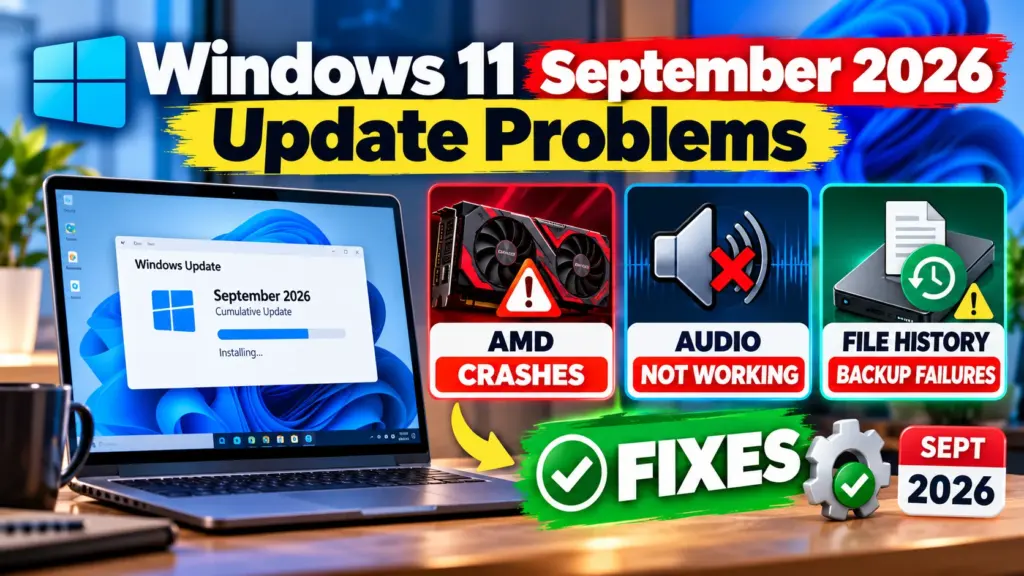
- USB audio devices that showed Code 10 or no sound are listed as resolved in Microsoft’s update of 10 November 2026: KB5132061 for versions 25H2 and 26H2, and KB5131087 for 23H2.
- HDMI and DisplayPort audio failing on some AMD graphics cards was fixed in the optional update KB5127936 of 28 October and in the November security update.
- Black screen after sign-in on virtual desktops and apps closing during AC-3 audio decoding were resolved on 13 October with KB5127648.
- File History backups are reported to work again after the autumn updates, although some users still report trouble.
- New in November: some people report installation errors 0x800f0993, 0x80070306 and 0x800f0989 with KB5132061, and Microsoft is investigating.
- Microsoft now recommends moving from 25H2 to 26H2, according to its status page as reported by Windows Latest.
Introduction: Windows 11 Update Problems, and Which Ones Are Fixed
Windows 11 version 26H2, which Microsoft also calls the 2026 Update, had a rough start. Reports covered audio problems, File History backups failing, virtual desktop black screens and more. A few weeks later, most of the tracked problems have been fixed, and the USB audio bug was resolved by the November Patch Tuesday update.
This guide lists each known problem, its current status and the update that fixed it, then gives general steps to try if something still goes wrong on your PC.
Table of Contents
Known Issues and Their Status
The table follows Microsoft’s release health information and the reports linked in the sources section. A fix listed here means Microsoft or a reputable outlet reported it, so confirm on the official page for your version.
| Issue | Status | Fixed by |
|---|---|---|
| USB Audio Class 1.0 devices show Code 10, no sound or volume stuck at zero | Resolved on 10 November 2026 | KB5132061 (25H2, 26H2) and KB5131087 (23H2) |
| No sound over HDMI or DisplayPort on certain AMD graphics cards | Fixed | KB5127936 (28 October preview) and the November security update |
| Black screen or loading problems after sign-in on virtual desktops | Resolved on 13 October | KB5127648 |
| Apps close unexpectedly when they decode AC-3 audio | Resolved on 13 October | KB5127648 |
| Remote Desktop error 0xC000000D | Fixed on 28 October | KB5127936 |
| Smart App Control toggle problem | Fixed around 28 October | KB5127936, as reported |
| File History fails to back up or restore | Reported fixed after the autumn updates, some users still affected | Updates from September and October |
| KB5132061 installation errors 0x800f0993, 0x80070306, 0x800f0989 | Microsoft investigating, as reported | No fix listed yet |
Before You Start: Protect Your Files
- Back up your important files to an external drive or cloud storage before you install a large update.
- Make sure you have plenty of free disk space. Failed installs are often caused by a full drive.
- Plug in your laptop and keep it connected to the internet while the update runs.
How to Check Your Version and Install the Latest Update
- Open Settings, then Windows Update, and select Check for updates.
- To see your version, press the Windows key and R, type winver and press Enter.
- Install the latest security update, because Microsoft’s own fix notes for the USB audio bug say the November update contains it.
- Restart when asked, then check Windows Update again, because some updates arrive in more than one step.
If USB Audio Is Still Not Working
The Microsoft fix for this problem is the November update, so install it first. If the problem remains, these are general troubleshooting steps and not an official Microsoft procedure:
- Unplug the USB audio device, wait a few seconds and plug it into a different USB port.
- Restart the PC with the device connected.
- Open Device Manager, find the device and check whether it shows Code 10. Try Update driver, or uninstall the device and restart so Windows reinstalls it.
- Use another audio output, such as HDMI, Bluetooth or the built-in speakers, until the update is installed.
If the Update Fails to Install
If you see an error such as 0x800f0993, 0x80070306 or 0x800f0989, these are general steps to try:
- Restart the PC and run Windows Update again.
- Open Settings, then System, then Troubleshoot, then Other troubleshooters, and run the Windows Update troubleshooter.
- Free up disk space and disconnect extra USB devices.
- Open Command Prompt as administrator and run DISM /Online /Cleanup-Image /RestoreHealth and then sfc /scannow.
- Check Microsoft’s release health page for your version, in case Microsoft has published a workaround.
How to Uninstall an Update: Last Resort Only
Open Settings, then Windows Update, then Update history, then Uninstall updates, and choose the update. Be careful, because the November update is a security update. Removing it can leave your PC exposed, so try the steps above first.
Should You Install the Update?
For most people, yes. Microsoft has fixed most of the 26H2 problems, and security updates protect you from known attacks. If you manage important work machines, wait a few days after Patch Tuesday and check the release health page before you roll out the update to all of them.
Frequently Asked Questions
Are the Windows 11 update problems fixed?
Most of them are. The USB audio problem was marked resolved on 10 November 2026, and the other tracked 26H2 issues were resolved in October. New installation errors with the November update are under investigation.
Is it safe to uninstall the update?
It can be done, but it removes security fixes, so use it only as a last resort.
Do I need to reinstall Windows?
No. None of the issues above requires a reinstall.
Where can I check the official status?
Microsoft publishes it on the Windows release health pages for each version of Windows 11.
Sources and Official Links
- Microsoft: Windows 11 version 26H2 known issues and notifications
- Microsoft: Windows 11 version 23H2 known issues and notifications
- Windows Latest: Microsoft has fixed all but one 26H2 issue (4 November 2026)
- Windows Latest: November 2026 update, what is new and fixed (10 November 2026)
- Helpdesk Geek: Microsoft resolves most tracked 26H2 bugs
Related Guides
If a game crashes after updating, see our guide to fixing Aion 2 crashes and black screens, or learn how to fix game lag on a low-end laptop. You may also like iOS 27 Battery Drain and Overheating.